The world's first AI-nativeCAD for fine jewelry.

Design rings, pendants, and earrings in your browser, by hand or with an AI assistant. Set stones on their real girdle, paint pavé onto sculpts, and export STEP or STL for casting.

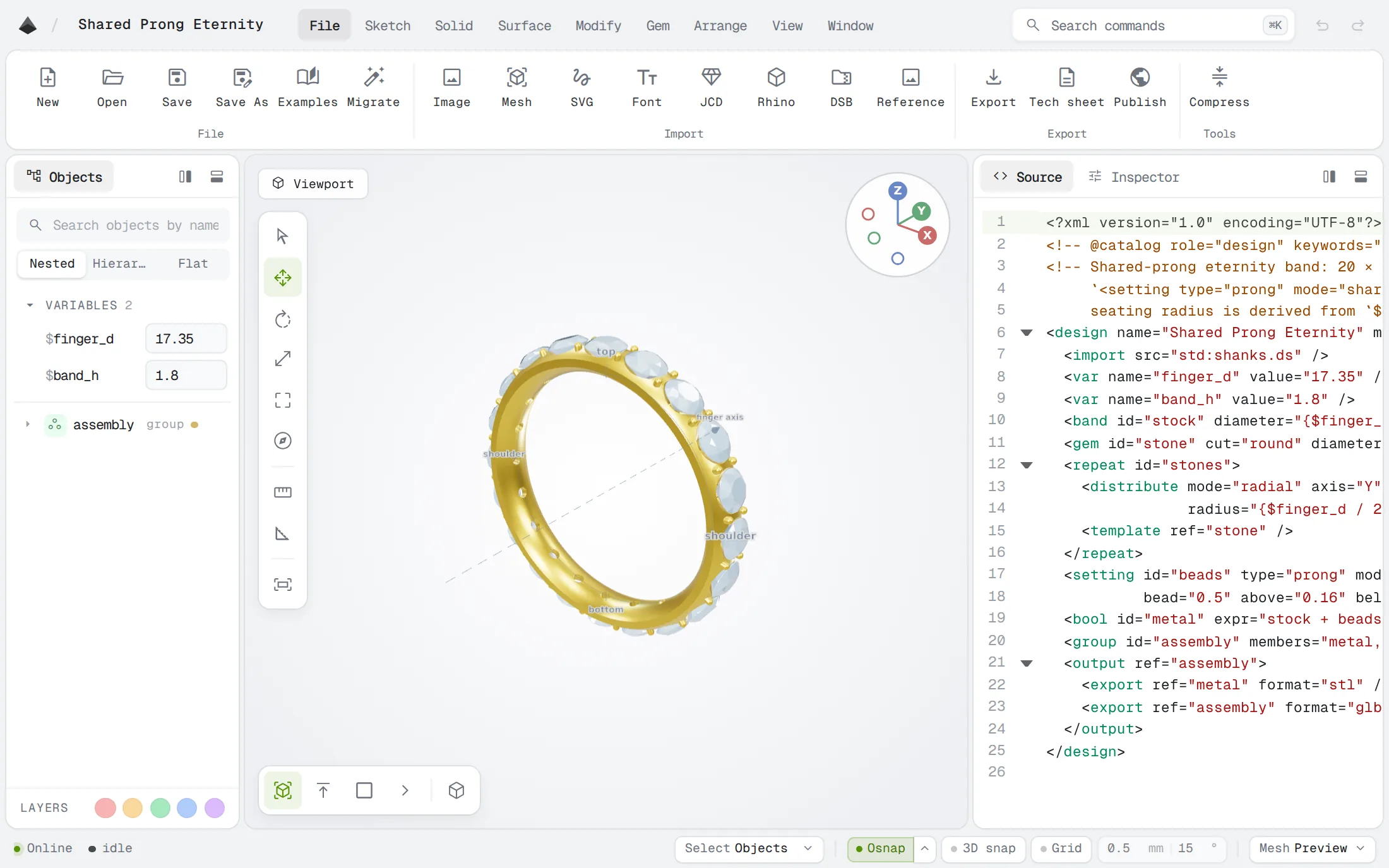
The Diatech Make jewelry editor showing a shared-prong eternity band in the 3D viewport with its DiaScript source alongside

Opens and exports the files your bench already uses

  • STEPcasting · CNC
  • STL3D printing
  • GLBweb · AR
  • 3DMRhino
  • JCDJewelCAD
  • OBJsculpts
  • SVGartwork

What makes Diatech Make different

Your design is a readable file

Every click in the editor writes a line of DiaScript, and editing the text updates the model. A ring ends up as a short file you can compare, review and keep in version history, instead of a binary that only one program can open.

An AI assistant can drive it

Diatech Make has its own MCP endpoint. An assistant can read the language reference, write a design, check it for errors, render a picture and look at the result before it shows you anything.

Paint the stones on

Brush over an area, or select it with the magic wand, and it fills with melee in sizes you can buy. It works on a flat band, a dome, a fold or a hand-sculpted face, the kind of surface most setting tools give up on.

Clean up AI sculpts and scans

Generated sculpts and scans usually arrive broken, unscaled and lopsided. Separate, smooth and hollow them, mirror the good half (the mirrored stones still count in the stone list) and export a model you can cast.

Change anything,any time, it all rebuilds.

Change the ring size, the stone count or the wall thickness and the whole piece rebuilds around it. Everything you do in the viewport is saved as readable DiaScript, so the design stays editable whether it is exact CAD or a mesh.

Sketch, sweep, loft, boolean and deform

Settings built aroundthe real stone.

Prong, bezel, channel, head, halo, micro-pavé and bail settings use each cut's measured girdle instead of a perfect circle. A halo follows the three curved sides of a trillion, a marquise gets prongs on its tips, and an emerald-cut bezel keeps its corners mitred the way a bench jeweler would solder them.

Every common cut, plus custom stones
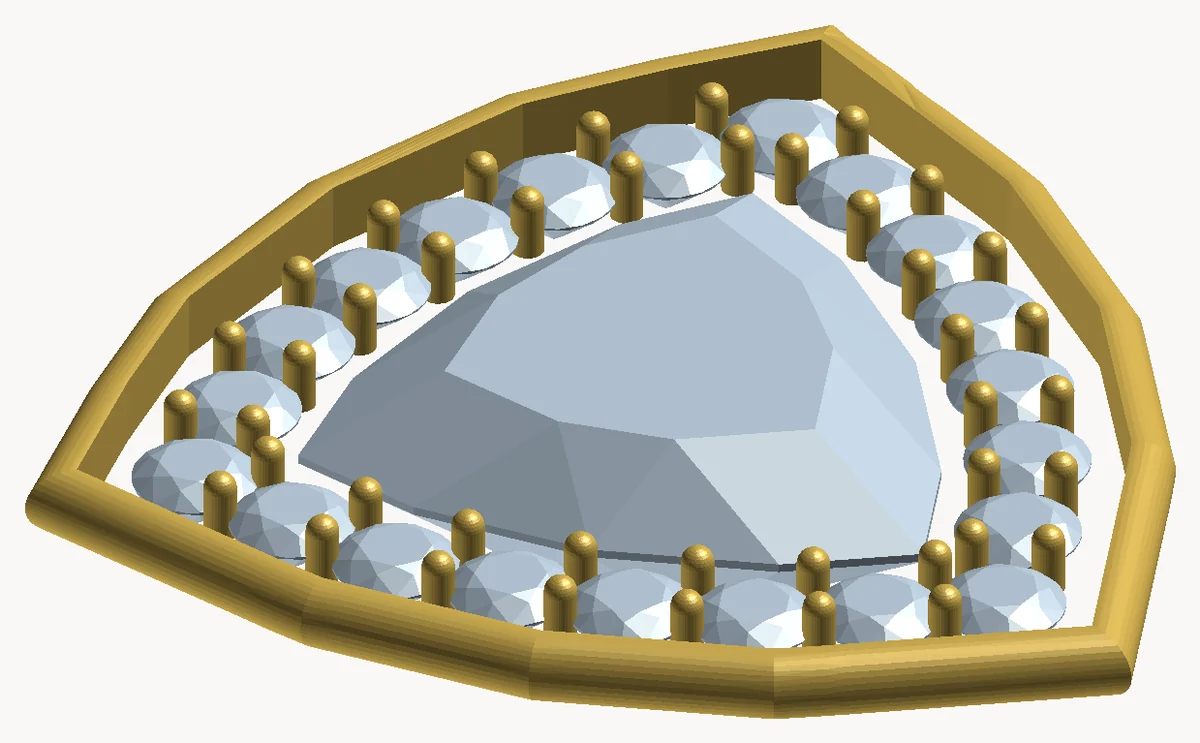
A trillion-cut center stone ringed by round accents that follow its three-sided outline, inside a rim following the same outline

Files and paperworkthe bench can use.

Metal weight by alloy, a stone list priced by what you actually have to buy, a gem map and dimensioned views. All of it comes from the same geometry you export, so the tech sheet always matches the model.

STL, STEP and the tech sheet
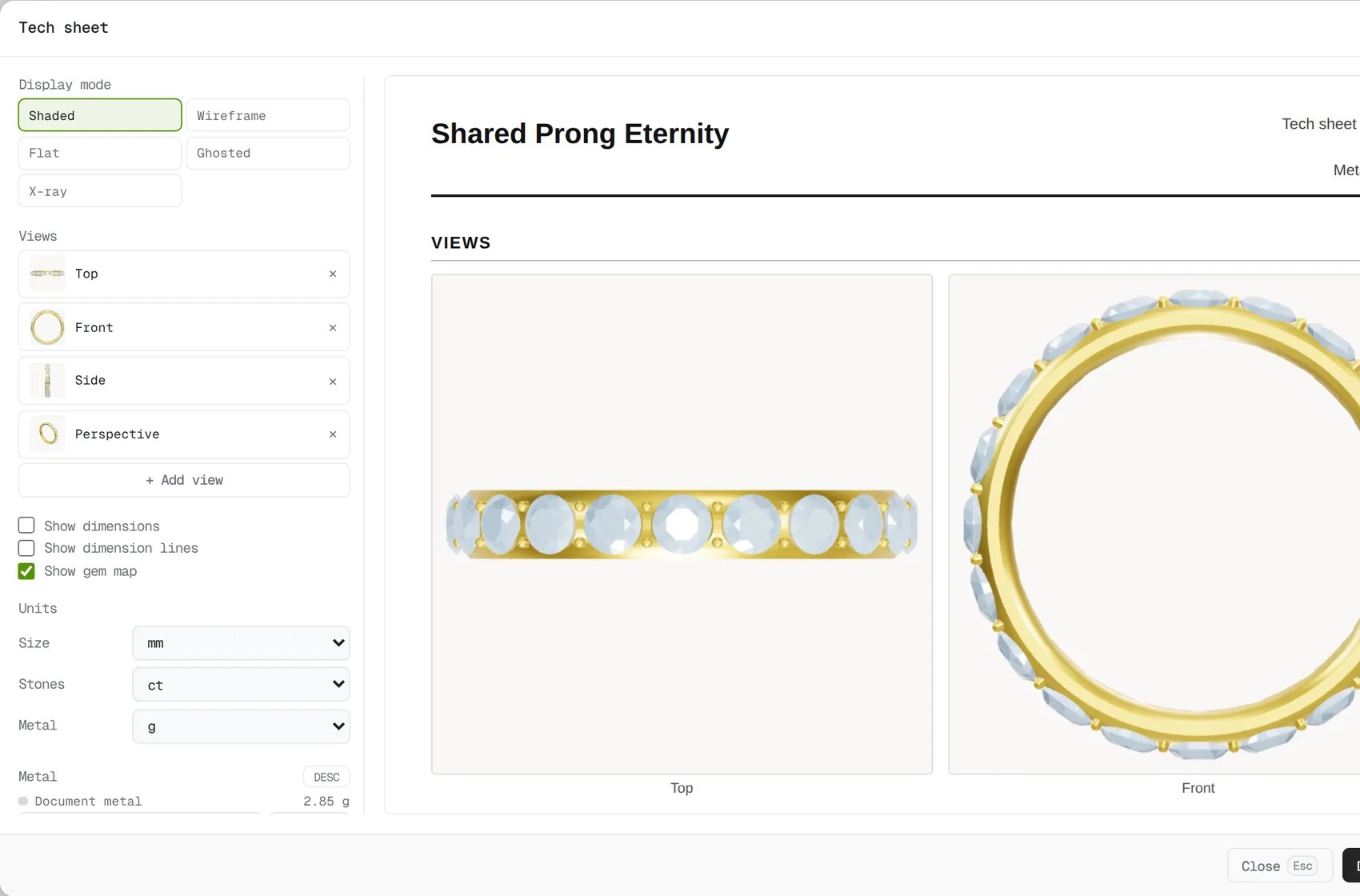
The tech sheet dialog beside a live preview showing top and front views of an eternity band with its metal and units

Built for the way jewelers work

Keep your Rhino and JewelCAD library

Open .3dm and .jcd files as editable models. Revolves, sweeps and repeated prongs are rebuilt as real features you can change.

Switching from JewelCAD or Rhino

Import

3DM solitaire.3dmRevolve and 6 prongs rebuilt ✓
JCD eternity_band.jcdSweep and 24 stones rebuilt ✓
3DM halo_pendant.3dmHalo rebuilt around a pear ✓
STEP clasp.stepOpened as an exact solid ✓

Made for ring design

US, EU, UK and Japanese ring sizes, real alloy densities, girdle-accurate seats, and checks that stop you exporting a wall too thin to cast.

Ring design software

Ring size

USEUUKJP

7 17.35 mm inside diameter

Metal18k yellow gold
Minimum wall0.82 mm ✓

Design jewelry with AI

Connect Claude or ChatGPT and ask for a ring. It writes the design, renders it, reads back the size and metal weight, and fixes what it got wrong.

AI jewelry design

Make me an eternity band in 18k white gold with twenty round stones.

Size
22.79 × 3.20 × 22.79 mm
Metal
3.93 g · 18k white gold
Stones
20 · 1.64 ct total
Checks
No warnings

More jewelry design tools

Curves and profiles

Pen, arcs, helices, offsets with mitred corners, a library of band profiles, and artwork traced from an image or SVG.

Sweeps and surfaces

Multi-rail sweeps, loft, thicken, patch, and control-point surfaces with a cage you can grab and pull in the viewport.

Paint a region, get stones

Brush or magic-wand an area on any surface, scans and AI sculpts included, and it packs with standard melee right up to the edge.

Scans and sculpts

Separate, cut, simplify and smooth imported meshes. Hollow any solid to a wall thickness you choose, closed or open at the back.

Engraving and relief

Ring inscriptions that wrap all the way around, graver grooves, milgrain, azure windows and relief from a grayscale image.

Parts and patterns

Save any object as a reusable part, edit it in place, repeat it along a path or around an axis, and mirror metal and stones together.

Direct manipulation

A gumball for one object or many, box select, face, edge and vertex picking, snapping and a ⌘K command palette.

Two-tone metal and gem color

Set metal and stone colors per object from the same list the weights use. Recoloring never rebuilds the model.

Guides

Jewelry CAD software · Ring design · Pavé and settings · AI jewelry design · From JewelCAD or Rhino

Frequently asked questions

What is Diatech Make?

Diatech Make is jewelry CAD software that runs in your browser. Each design is a short DiaScript file that you or an AI assistant can edit, and it exports production files for casting, CNC and 3D printing.

What is jewelry CAD software?

Diatech Make is jewelry CAD software that runs in the browser and works with AI. Design rings, pendants, and earrings by hand or with an assistant, set stones on their real girdle, paint pavé onto sculpts, and export STEP or STL for casting.

What is the difference between Diatech Make and Diatech Studio?

Diatech Studio (https://studio.diatech.ai) is the AI image and workspace for jewelry teams: renders, review and catalogs. Diatech Make is parametric jewelry CAD for casting. They share a Diatech account and do different jobs.

Can I design jewelry with AI?

Yes. Claude, ChatGPT and other assistants can connect to Diatech Make over MCP. They can write a ring, pendant or earring, check it, render it, report its metal weight and stones and test stone fit. You get a file that opens in the editor.

Which file formats does it support?

You can export STEP for casting masters and CNC, STL and 3MF for 3D printing, GLB for web and AR, and OBJ. You can import STEP, STL, GLB, Rhino .3dm and JewelCAD .jcd files, plus SVG artwork and images for tracing and relief.

Is it an alternative to JewelCAD, Rhino or MatrixGold?

It covers the same jewelry work: sweeps, stone settings, pavé, booleans, engraving and tech sheets. It opens .3dm and .jcd files as editable models, so your existing library comes with you, and there is nothing to install.

Does it work with AI-generated sculpts and 3D scans?

Yes. You can separate, smooth, simplify, mirror and hollow imported sculpts and scans, then paint pavé straight onto them, even when the mesh has holes, and export a model ready for casting.

Can I use it to design engagement rings?

Yes. Pick a ring size, choose a shank and a center stone, and add a head, halo or pavé. Change the size or the stone later and the ring rebuilds. You can also export a size run with one file per finger size.

How much does it cost?

Diatech Make is free to try with a Diatech account. Sign in or create an account to open the editor.

Start designing.

Get started free

Free with a Diatech account.